Figma · Plugin
AI Assistant
A bridge between Cursor IDE and Figma for creating and running scripts
I worked in Figma every day, designing software, apps and websites. I used plenty of plugins and made a few of my own when I could not find what I needed. The same manual steps kept coming back. Organizing layers was tedious, and some tasks felt unrealistic to do by hand, so I kept putting them off.
Context
I built the plugin for myself. I was already using LLMs for different tasks and asking them to help write Figma scripts. I created the code in Cursor, then had to move it into Figma manually to run it. I did not know how to write plugin or script code myself, so I learned from Figma's documentation and plugin API as I went, while refining my script-generation rules in Cursor.
Task
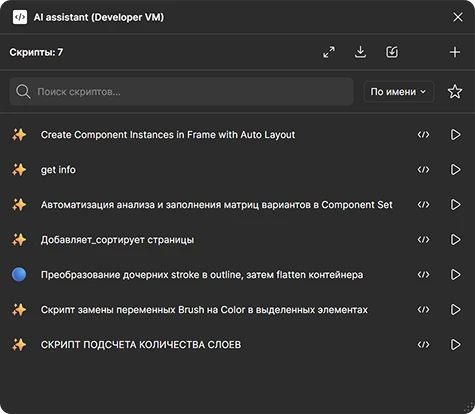
I wanted to remove the manual code handoff and run scripts directly in Figma. The plugin had to connect Cursor and Figma, let me reuse existing scripts, and make it easy to copy context about a selected node or an entire page for the LLM.
Solution
A local server and WebSocket connected Cursor to the plugin. Once a script was ready, I opened the plugin and clicked Run. The code was sent to Figma automatically.
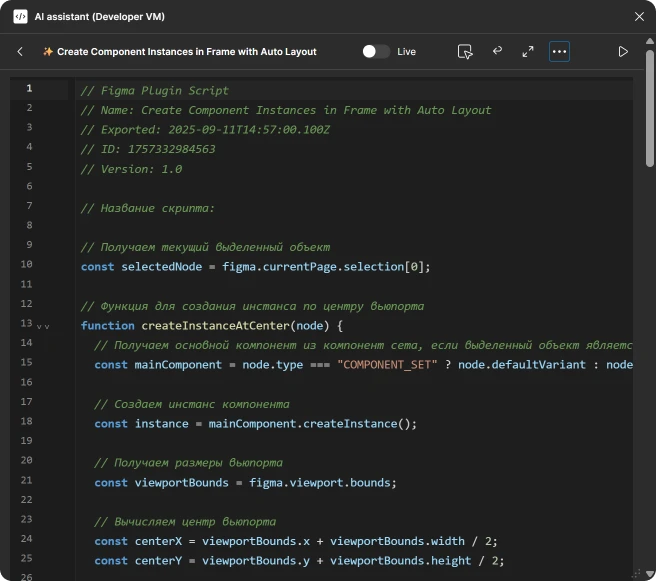
Saved scripts could be launched from the catalog without Cursor. I ran existing scripts more often than I created new ones.
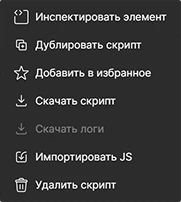
To give the LLM better context, the plugin could copy information about a selected node or an entire page. I used that data in my conversation with the model.

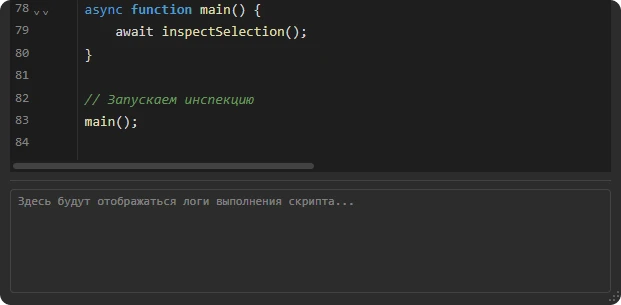
The LLM in Cursor could read the execution logs. If the issue was with the script's logic rather than a bug, I split it into small steps and ran them one by one. I tested each script in a separate Figma file first, then tried it in a working file when it behaved as expected.
Result

The time saved let me try more complex workflows. In working files, I often ran a script to flatten vector icons so they displayed correctly in production. Another turned a frame into a component, created an instance, and moved the master component to a designated place on the components page. Scripts also updated color tokens after manual changes and helped build a design-system file with many pages.
Other tasks included adding component variants, saving a set of tokens from JSON stored in a text layer, and building a prototype with keyboard-driven transitions. I also automated code syntax highlighting in a mockup to present an idea and tune the syntax colors. I would not have colored code by hand.
I learned more about the Figma Plugin API. Now I plan work with scriptable actions in mind, so I spend less time on repetitive steps.
Plans
Next, I want to remove Cursor from the workflow and talk to LLM agents directly in Figma. Depending on the task, an agent could create a reusable script or carry out an action from a text command.
For now, only the interface window exists. Agent conversations and actions are not implemented yet.

